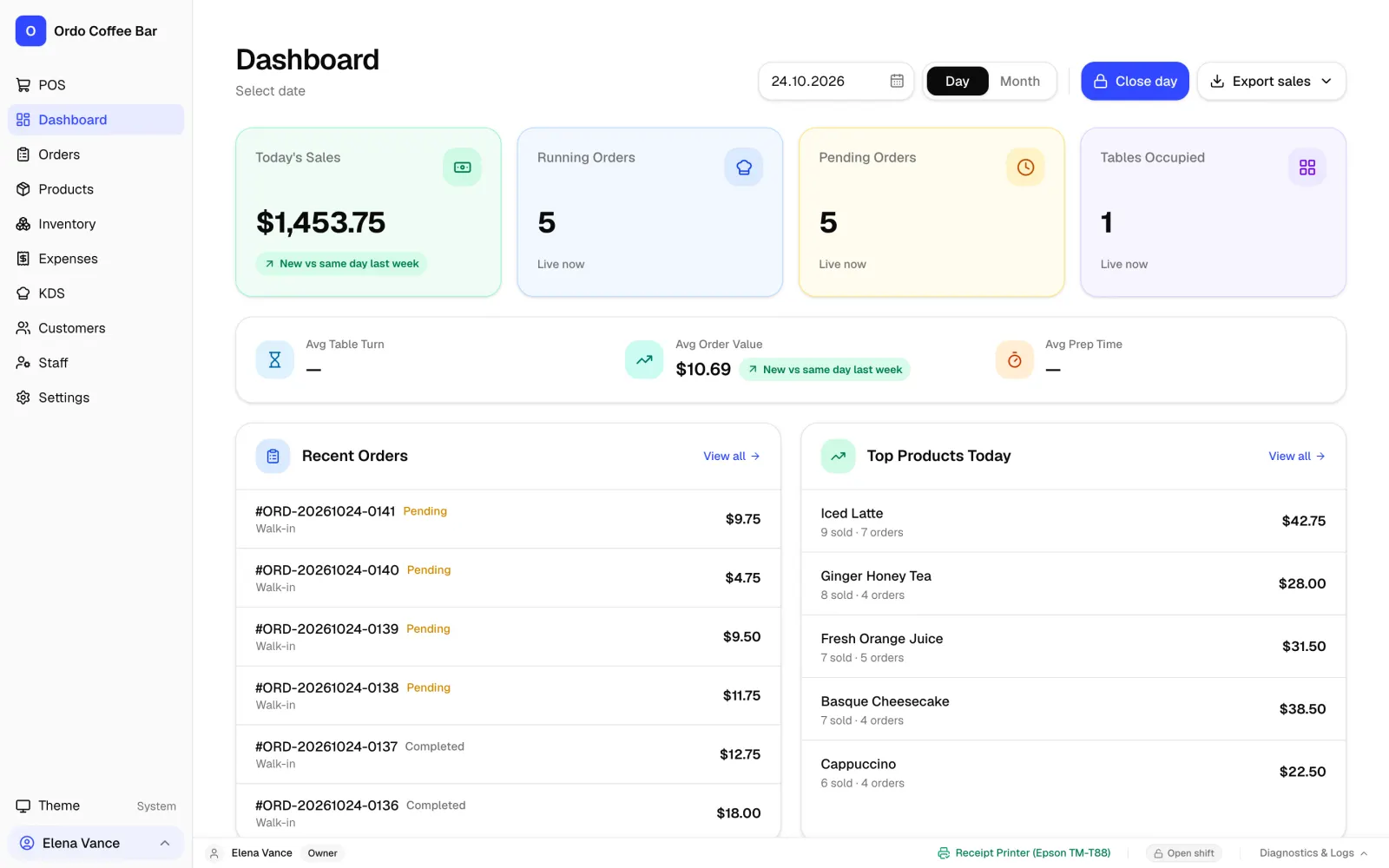
A shift from open to close
A shift starts with the opening float: the cashier enters how much cash is in the drawer. From then on every cash movement is recorded on its own, so nobody has to remember in the evening who took money out for milk.
- Open the shift with an opening float.
- Record pay-ins and pay-outs with a note, plus safe drops.
- At close the cashier enters the counted cash, and Ordo shows the expected amount and the variance.
- Shift takings are split by payment method, net of refunds, so the card total is easy to check against the bank terminal report.
- Every closed shift is kept in a list on the owner’s dashboard, with a PDF for each one.
X report and Z report
The X report is a snapshot of the day at any moment, without closing anything: money collected, refunds, number of bills and how payments split. Handy at lunchtime or before a handover.
The Z report closes the business day. It is numbered and shows the opening float, cash movements, sales by payment method, refunds, tax, staff sales, expected and counted cash, the variance and who closed the day. Ordo won’t close the day while anyone still has a shift open. Both reports export to CSV and Excel.
Note that Ordo’s X and Z reports are internal management reports, not fiscal ones. If the law where you trade requires fiscal receipts and a fiscal Z report, your fiscal register still produces them; Ordo runs alongside it rather than replacing it.
Staff and permissions
Ordo has five roles: owner, manager, cashier, server and chef. Everyone signs in as themselves, and the owner decides what each role, or each individual, can do. Every change to permissions is kept in a history.
- Refunds need a manager’s or owner’s PIN, and you can switch on the same check for discounts.
- Every action is recorded against the person who did it, so disputes are settled from the record, not from memory.
- Orders are not hidden between staff: anyone with order access can finish a colleague’s order while they are on a break.
Takings by day and month
The owner’s dashboard shows revenue, average bill and best sellers for a day, a month or any date range you pick. The business day follows the café’s own time zone, so late orders don’t slip into the wrong day. Daily sales export to a spreadsheet, and you can log café expenses in Ordo right next to the takings.
What Ordo doesn’t do: timesheets or payroll. Shifts in Ordo are cash shifts, meaning money, not hours worked.
The essentials on your phone
Connect Telegram and, when a shift closes, your group gets the list of products that need restocking, plus a warning whenever stock runs low. The cash close summary can be sent to any WhatsApp number. The owner keeps up from their phone even on days they don’t come in.
All of this is in the standard price: 1,990 KGS a month for one café (about 23 USD), every feature and any number of devices. Two weeks free, no card needed.
FAQ
What is the difference between an X report and a Z report?
An X report shows the day’s totals so far and closes nothing. A Z report closes the business day, gets a number and records the final totals and the cash variance.
Does the Ordo Z report replace a fiscal Z report?
No. Ordo prints regular customer receipts and produces internal reports. Where fiscal documents are required, your fiscal register keeps producing them.
Can the owner see who sold what?
Yes. The Z report includes staff sales, and every action in the system is recorded against the person who performed it.
Does Ordo track hours or calculate wages?
No. Ordo tracks cash shifts and takings, not timesheets or payroll.
Do shifts and reports work without internet?
Yes. Shifts, X and Z reports and the day close all run in the app on the café computer and don’t depend on the internet. Telegram messages wait and go out once the connection is back.
Can cashiers see the reports for every shift?
No. By default the list of closed shifts with their PDFs is for the owner and manager, plus anyone the owner gives report access to. Cashiers don’t; they close only their own shift.