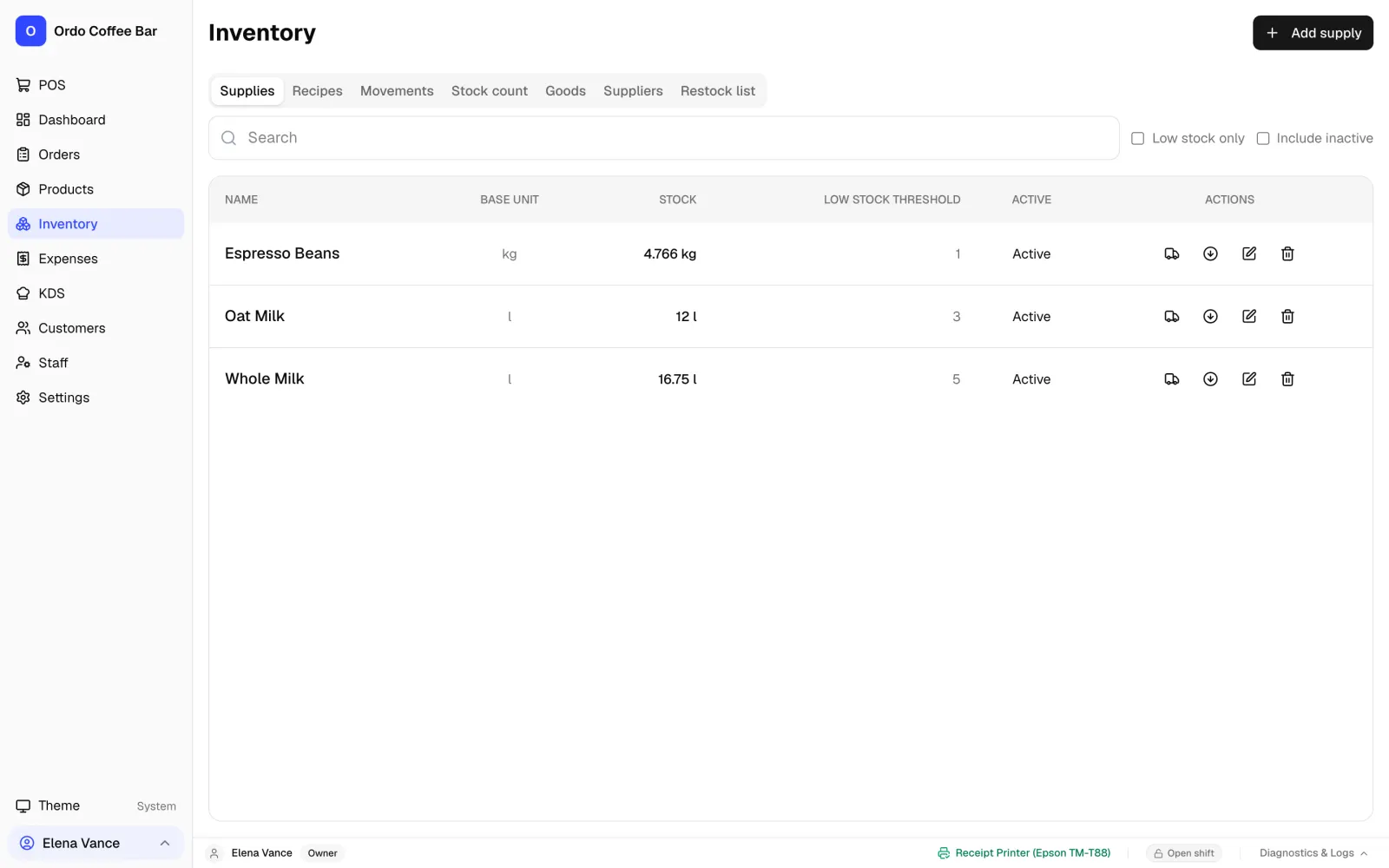
Recipes: what goes into every drink
Start by adding your supplies: beans, milk, syrups, cups, lids. Give each one a unit, whether grams, kilograms, millilitres, litres or pieces, along with its price. Then build the recipe: how much of each goes into one portion.
A recipe can yield several portions at once, which suits a batch of syrup or dough. When a drink comes in sizes, each size gets a multiplier of the base recipe, say 1.5 for a large cup, so you do not need a separate recipe for every size.
- Stock is deducted automatically with every sale.
- Refunds, and cancelled items the kitchen has not started yet, put the ingredients back.
- Ready-made goods such as bottled water or bought-in pastries are tracked by the piece.
Cost and profit without spreadsheets
Once your ingredients have prices, Ordo calculates the cost of a portion from the recipe. When a new delivery arrives, the ingredient's price becomes the average of what was in stock and what just came in, so your costs follow what you actually pay.
The main dashboard shows how much went on ingredients over a period, the resulting profit and the margin as a percentage. The sales export to Excel or CSV breaks the same figures down by product. Cost is locked in at the moment of sale, so old reports do not shift when you change prices.
If some items have no ingredient prices yet, Ordo marks the figures as incomplete instead of showing a tidy but wrong margin.
Deliveries, stock counts and waste
Everything that happens to your stock goes into a movement log: sales, deliveries, counts, adjustments and waste. You can see who changed a balance, when and why.
- Deliveries: enter the number of packs and the price, and the balance and average cost update.
- Stock counts: enter what is actually on the shelf after a count.
- Waste: spoiled milk or a spilled drink is written off with a required reason.
A restock list grouped by supplier
For each item you can set a low-stock threshold, a level to restock up to, the pack size and the supplier. Ordo puts together a restock list showing what has run out, what is running low, how many packs to buy and what they will cost, grouped by supplier.
You can print the list, and if Telegram is connected, Ordo sends low-stock alerts and the restock list at shift close straight to your team's group.
Where to start: your first week with inventory
You do not have to describe the whole menu in one day. Start with what sells most and costs most, and add the rest as you go.
- Add your 10 to 15 main ingredients: beans, milk, plant milk, syrups, cups and lids.
- Run a stock count so your starting balances match the shelf.
- Build recipes for your best-selling drinks and check what each one costs to make.
- A week later, count again and use the movement log to see where the shelf and the expected balance differ.
Part of the till, and it works offline
Inventory is not a separate program; it is part of the Ordo till. The Windows and Linux app keeps data on the café's own computer, so recipe deductions keep running without internet. Ordo costs 1990 KGS per month for one café (about 23 USD), with inventory, recipes, the kitchen display and reports included. The first 2 weeks are free, no card needed.
Already keeping recipes in another system? Send us an export and we will help you move your menu, recipes and sales history.
FAQ
How does Ordo work out the cost of a drink?
From the recipe: the quantity of each ingredient is multiplied by its price. The ingredient price is updated with every delivery as the average of the old stock and the new batch.
Do I need a separate recipe for every cup size?
No. Each size gets a multiplier of the base portion, such as 1.5, and deductions are calculated from one recipe.
How do I run a stock count?
Open the stock count section and enter what you actually have. The difference goes into the movement log so you can see where things do not add up.
Can I track bought-in goods like water or pastries?
Yes. Turn on stock tracking for a product, receive it in packs, and it appears on the restock list alongside your ingredients.
Does inventory work offline?
Yes, in the Windows and Linux app. Deductions, deliveries and counts are saved on the café computer. Telegram alerts go out once the connection is back.
Can I bring my recipes over from another system?
Yes. Send us an export from your current system and we will help you move your menu, recipes and sales history so you do not have to type it all in again.