The short version
Poster runs in the cloud and says so on its home page, while also stating that its till keeps working if the internet drops. It sells several plans, and what you get depends on the plan.
Ordo takes a different route. A Windows or Linux app runs on a computer in your café, keeps the data there and sells offline. Tablets and phones join it over the café Wi-Fi and open the till or the kitchen screen in a browser. There is one plan: 1990 KGS a month for one café, about 23 USD, with every feature and any number of devices.
Price and plans
Poster’s English pricing page lists Mini, Business and Pro. The kitchen display system comes with Business, listed at 44 to 49 USD a month. Its Russian-language pricing page, with prices in Ukrainian hryvnia, adds a Starter plan, says each plan includes one terminal, and charges separately for an extra till and an extra mobile waiter. Prices vary by country, so check Poster’s site for yours.
Ordo has no tiers and no paid add-ons. 1990 KGS a month covers:
- the till on as many devices as you like;
- the kitchen and bar screen;
- recipe-based stock and a shopping list;
- reports, shifts and closing the day;
- Telegram alerts;
- updates and support.
Offline selling and where your data lives
Both products say the till carries on when the connection drops. The difference is where the data lives. Poster keeps it in its cloud. Ordo’s Windows app stores your menu, orders and reports on the café’s own computer, and tablets talk to it over the local network. If the internet is out for half a day, your baristas barely notice: orders still reach the bar screen, receipts still print and the shift still closes.
Ordo also has an online version that opens in a browser, and that one does need internet. For a café with patchy connection we recommend the desktop app on the counter computer.
Where Poster is stronger
To be fair, Poster is a mature product with a wide feature set, and for some venues it will be the better fit.
- A till for iOS, Android, Windows and Mac, plus a mobile cashier on a smartphone. Ordo has no App Store or Google Play app; tablets and phones use the browser.
- Its own delivery: an ordering website (a paid add-on) and a courier app for iOS and Android. Ordo can ring up a delivery order and print a courier slip, but it has no ordering website or courier app.
- An app store of integrations and sending the receipt total to Kaspi.
- Loyalty from the Mini plan, payroll on Business and Pro, table booking on Pro (per its hryvnia pricing page).
- Fiscal receipts through a software cash register (PRRO) on its hryvnia-priced plans.
- Scale: Poster says more than 27,000 venues use it.
Where Ordo suits a coffee shop better
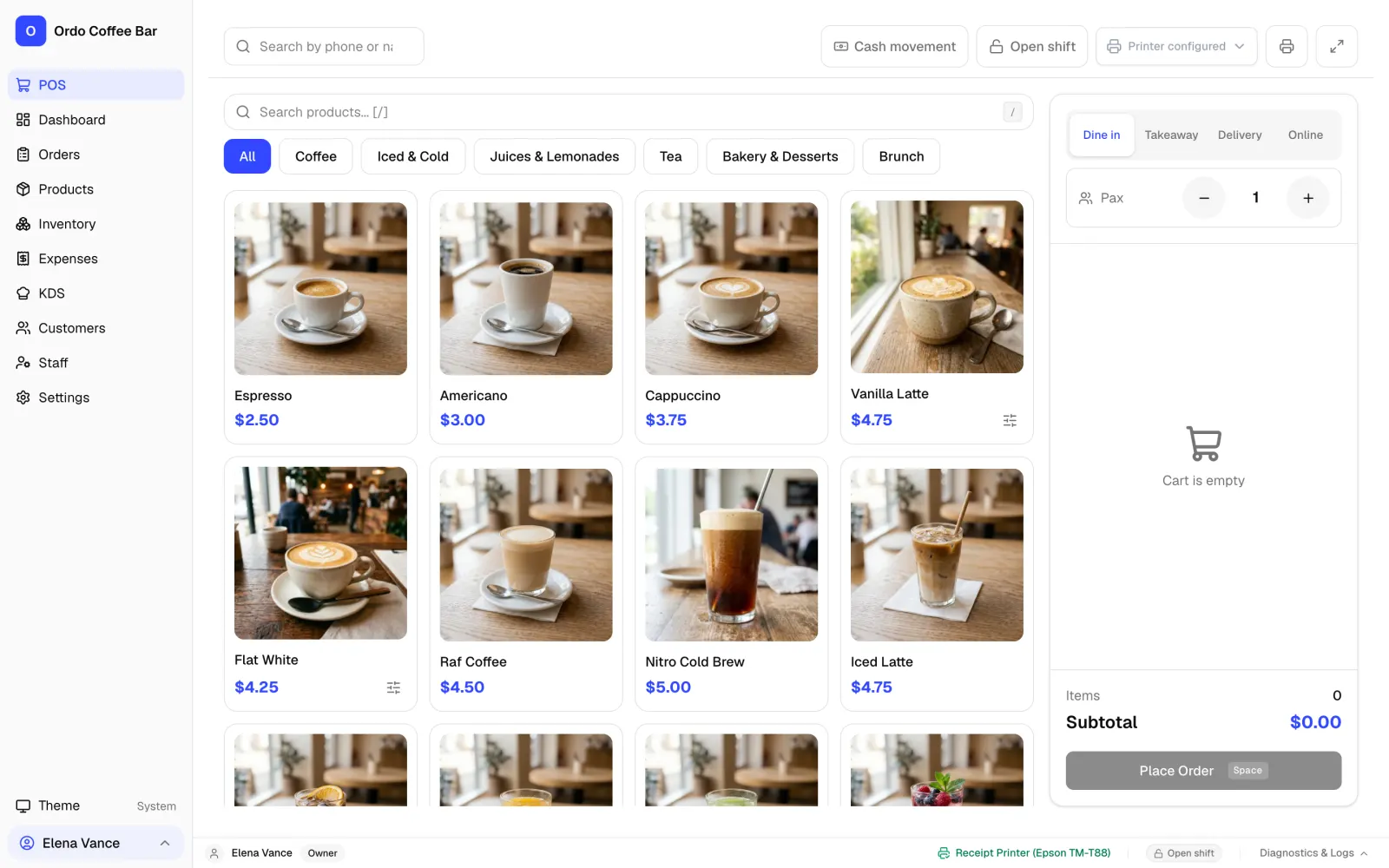
Ordo does not try to cover everything. It is built for the morning rush at the counter: big buttons, drink photos, milk and syrup choices, cash, card and split payment. An order appears on the bar screen right away, and the barista moves it from waiting to ready with one tap.
- Recipe-based stock: every cappuccino deducts its beans and milk, and Ordo shows what is running low.
- Separate logins for owner, manager and barista; discounts over the limit and refunds need the owner’s PIN.
- Guests found by phone number, with cashback and order history.
- Standard 58 mm and 80 mm USB receipt printers, a cash drawer and any card terminal: you mark the payment as card in Ordo.
- 24 interface languages and support by WhatsApp, Telegram and email.
Moving from Poster to Ordo
Send us an export from Poster and we will help you bring over your menu, recipes and sales history. Ordo has already been tested on a working café, with more than 12,000 real orders moved in. Try it free for two weeks alongside your current till and let your team decide.
Ordo and Poster side by side
| Ordo | Poster | |
|---|---|---|
| Plans | One plan, everything included | Mini, Business, Pro (plus Starter in some countries) |
| Free trial | 14 days, no card | 15 days |
| Kitchen screen | Included | In Business and Pro; also sold as the Kitchen Kit add-on at 7 UAH a month per screen |
| Extra devices | No extra charge | Extra till and mobile waiter cost extra |
| Where data lives | On the café’s computer | In Poster’s cloud |
| Selling offline | Yes, Windows and Linux app | Till keeps working if internet drops |
| iOS and Android apps | No, the till opens in a browser | Yes |
| Ordering website and courier app | No (delivery orders and courier slip: yes) | Yes |
Poster details are from its public pages as of 29 October 2026. Terms change, so check with Poster.
FAQ
Is Ordo cheaper than Poster?
Ordo costs 1990 KGS a month for one café, about 23 USD, including the kitchen screen, stock and any number of devices. On Poster’s English pricing page the Business plan, which includes the kitchen display, is listed at 44 to 49 USD a month. Poster’s prices depend on the country, so compare with its current pricing page.
Does Ordo print fiscal receipts?
No. Ordo prints regular customer receipts. If your country requires fiscal receipts, as Kyrgyzstan and Kazakhstan do, keep issuing them on your fiscal cash register alongside Ordo.
Can I run Ordo on an iPad?
Yes, in the browser. The tablet joins the Ordo computer over the café Wi-Fi and opens the till or the kitchen screen. There is no separate App Store app.
Can I bring my menu over from Poster?
Yes. Send us an export from Poster and we will help you move your menu, recipes and sales history.
How do I get started with Ordo?
Online sign-up is not open yet. Leave a request on the contact page or message us on WhatsApp or Telegram, and we will set up your two free weeks and help you launch.
Sources
- Poster home page (Russian) — checked 2026-10-29
- Poster pricing (Russian-language page, prices in UAH) — checked 2026-10-29
- Poster pricing (English page) — checked 2026-10-29