What a café actually needs from a POS
A small café does not need software designed for a restaurant chain. It needs orders rung up fast, a kitchen that sees them straight away, ingredients that deduct themselves, and a clear answer at closing time to how much came in and where it went. In Ordo all of that comes in one price, with no paid add-on modules.
- A till with large buttons, item photos, drink sizes and add-ons such as milk and syrups.
- Cash and card payments, split payment, and splitting a check by item.
- A kitchen and bar display, plus kitchen tickets on a printer.
- Recipe-based stock, a shopping list and suppliers.
- Shifts, end-of-day close, a Z report and Telegram alerts.
Tables, floors and servers
If you have seating, set up your floors and tables in Ordo and lay them out the way they really stand. Open an order on a table, put it on hold and come back to it later, or convert a dine-in order to takeaway when the guest decides to leave.
Servers take orders on their own phones: they open a separate server screen in the browser over the café Wi-Fi, with nothing to install. When a group asks to pay separately, the cashier splits the items into several checks right at the till.
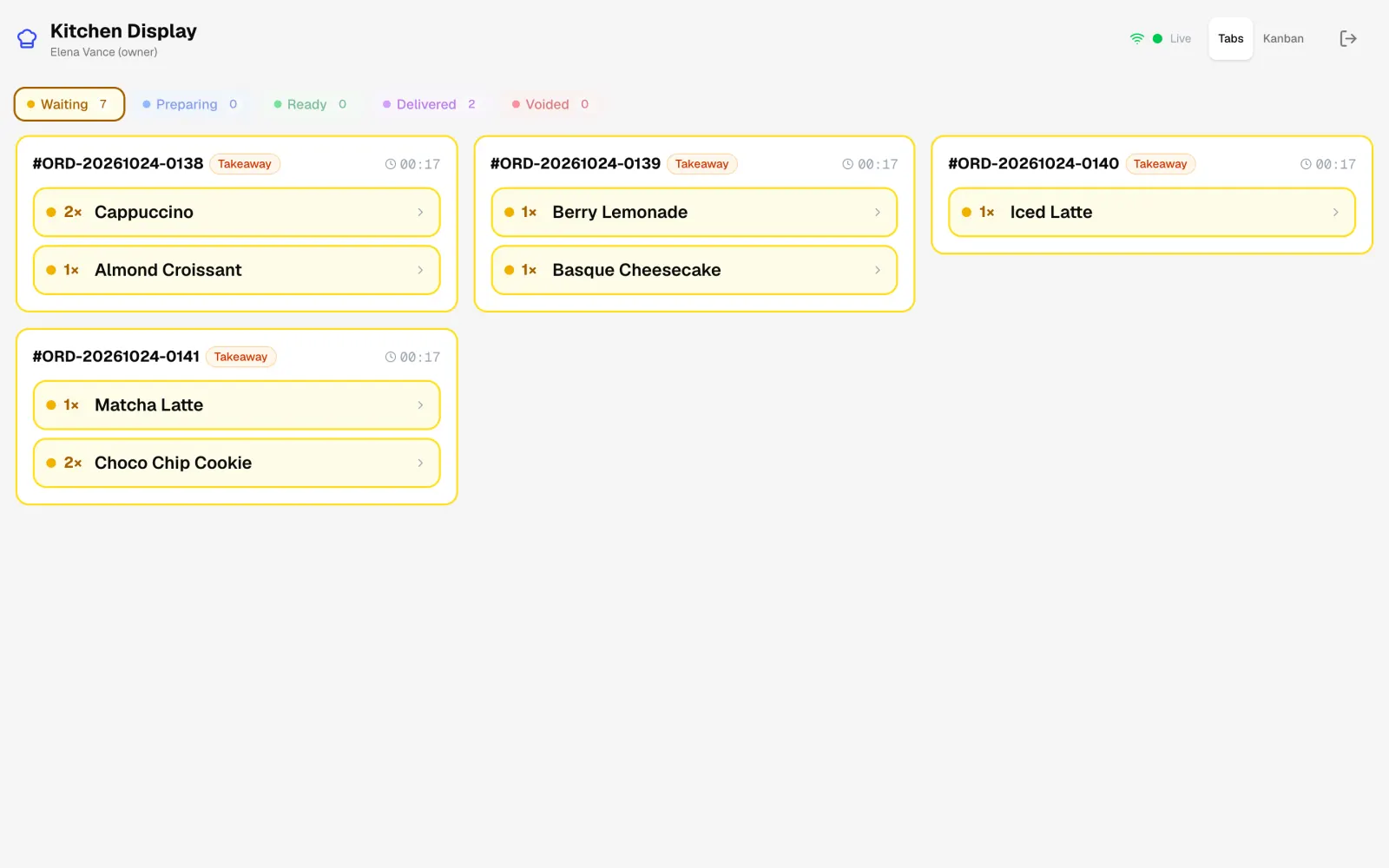
The kitchen and bar see the order at once
Once sent, the order appears on the kitchen display, which can be any tablet or a second monitor. The cook or barista moves it from waiting to ready with one tap. You can create several stations, say the bar and the kitchen, and give each one its own menu categories so the cook never sees coffee and the barista never sees soup.
If your kitchen prefers paper, Ordo prints kitchen tickets on a separate printer, and the ticket language can be set apart from the till language.
Stock and food cost without a notebook
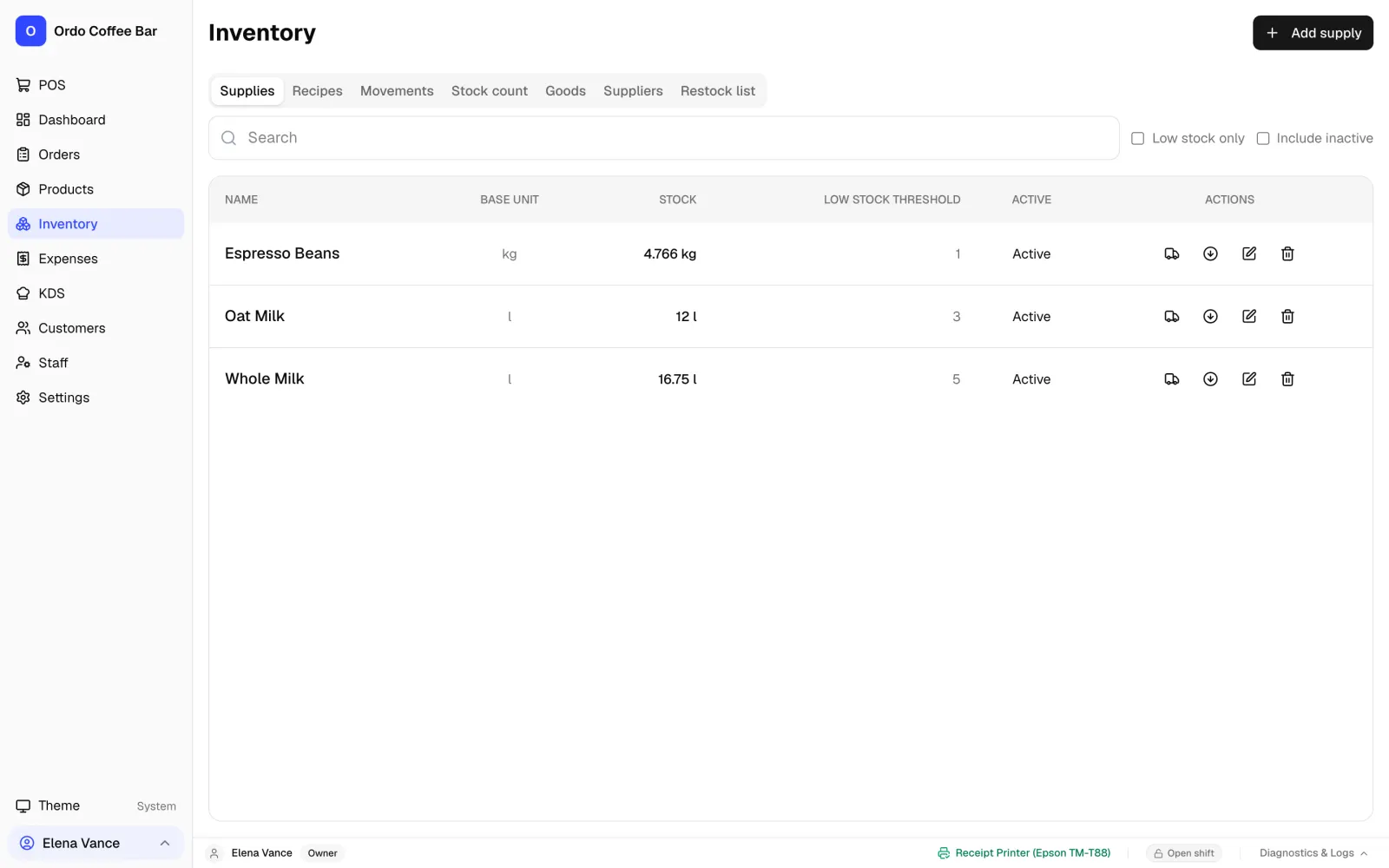
Each dish and drink gets a recipe: how many grams, millilitres or pieces go into one portion, or into a batch with a set yield. When an item sells, Ordo deducts the ingredients, works out the cost from the recipe and shows what is running low. The shopping list builds itself and prints in one tap, and deliveries are received into stock in Ordo when they arrive.
Drink sizes are handled properly, so a large cappuccino uses more milk than a small one. You can also record café expenses, from rent to small purchases, and see them next to your sales.
Shifts, cash and staff access
Every staff member has their own sign-in: owner, manager, cashier, server or chef, and the owner decides who can do what. Discounts cannot go past the limit set in the settings, and a refund needs a manager or owner PIN.
Close a shift and you see straight away how much cash should be in the drawer and how much went through on card. Each shift has a PDF report, and the totals and low-stock warnings reach you in Telegram even when you are not in the café.
Hardware and working offline
Ordo installs on a Windows or Linux computer and keeps your data on that computer, so the till keeps selling when the internet goes down. Tablets and phones connect to it over the café Wi-Fi and run in an ordinary browser.
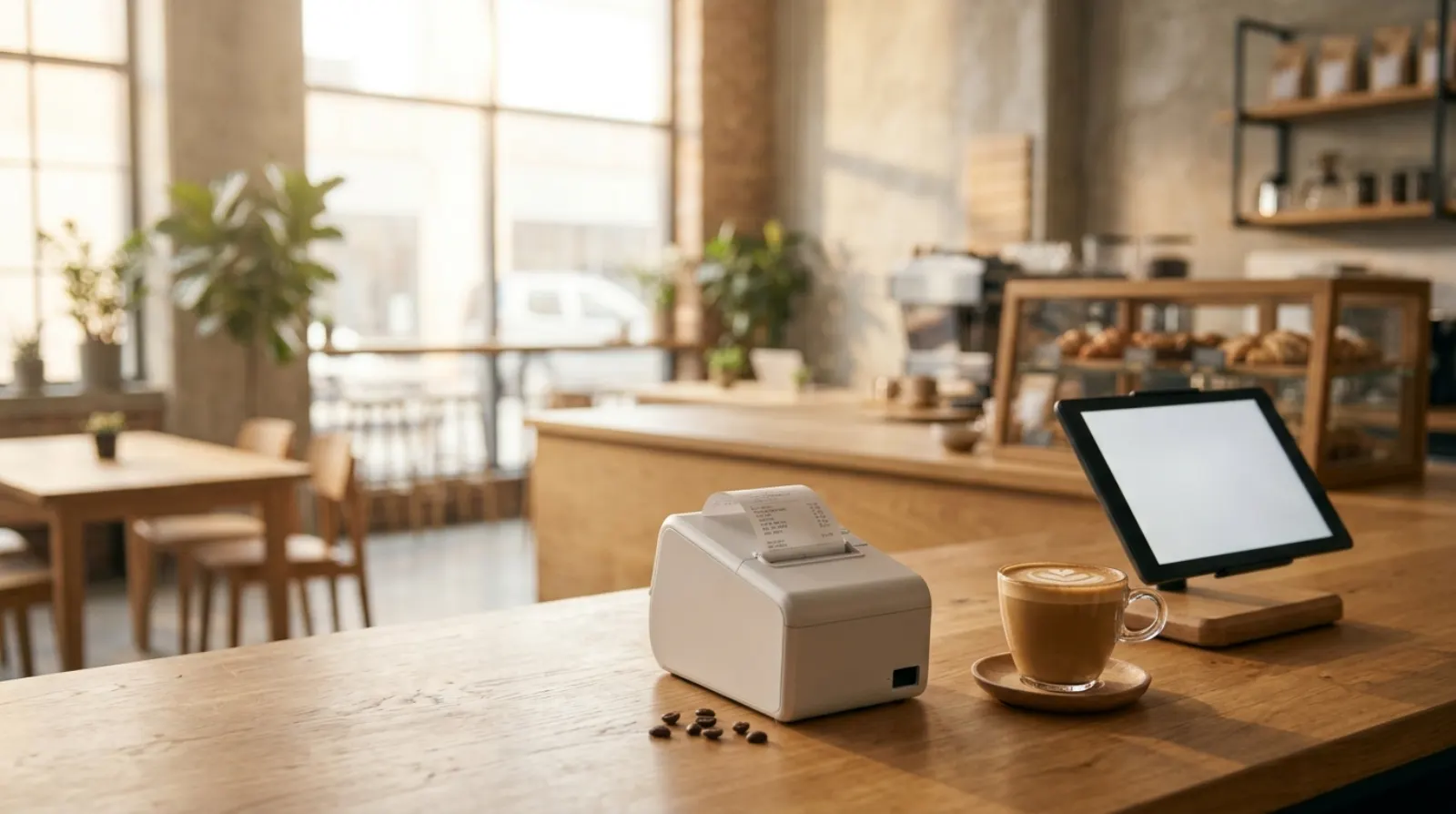
- 58 mm and 80 mm ESC/POS thermal receipt printers over USB, and a cash drawer.
- Any bank card terminal: the guest pays on the terminal and the order is marked as card in Ordo.
- Any number of tablets and phones at no extra cost.
What it costs to set up and what to buy
Running a café on a POS comes down to two costs: the software subscription and the hardware you buy once. Ordo costs 1990 KGS a month per café, or 23,880 KGS a year, and that already covers the till, kitchen display, stock, reports and any number of devices. There are no separate bills for modules, seats or tablets.
You pick the hardware and buy it from any supplier. Prices for the same kit vary a lot between shops, so we do not quote them here: ask two or three sellers and put the figures in your own budget. You probably own some of it already, and you can skip several items in the table.
What a café needs to start with Ordo
| Item | What it does | Required? |
|---|---|---|
| Windows or Linux computer or laptop | Runs the till and stores all data; sells offline | Yes, if you want to sell offline |
| 58 mm or 80 mm thermal receipt printer (ESC/POS, USB) | Guest receipts and kitchen tickets | Yes, if you print receipts |
| Cash drawer | Holds cash; connects to the receipt printer | If you take cash |
| Kitchen tablet or monitor | Kitchen and bar display | No, you can print tickets instead |
| Server phones | Taking orders at the table in a browser | Only if you have seating |
| Wi-Fi router | Links tablets to the computer; no internet needed for that | Yes, if you use tablets or phones |
| Card terminal | Card payments; keep the one you have | If you take cards |
| Fiscal register | Fiscal receipts; Ordo does not replace it | Check with the tax office or your accountant |
Ordo: 1990 KGS a month per café, first 2 weeks free. Hardware prices depend on the supplier.
Getting started, step by step
You do not need a technician: everything is set up inside the app, and a small menu can be entered in an evening. This order works well:
- Install Ordo on the computer and run the setup wizard: language, country, café name and the owner account. The country sets the currency, so Kyrgyzstan gets som.
- Start with demo data if you want to practise first, or with an empty database if you are ready to add your own menu.
- Add categories, items, sizes and add-ons. If your menu is already in a spreadsheet, you can load items from a CSV file.
- Add recipes, at least for your best sellers, so stock starts deducting ingredients and working out food cost.
- Connect the printer, print a test receipt and kitchen ticket, and open the kitchen display on a tablet via the QR code in the settings.
- Add staff with their roles and run a practice shift before opening, so the team learns without a live queue.
FAQ
Does the cafe POS work without internet?
Yes. The Windows or Linux app stores data on the café computer and keeps selling offline, and tablets connect to it over your Wi-Fi. The online version in the browser does need internet.
Does Ordo replace a fiscal cash register?
No. Ordo prints regular customer receipts, not fiscal ones. If your country requires fiscal receipts, keep issuing them on your fiscal register and use Ordo alongside it for orders, the kitchen, stock and reports.
How much does it cost?
1990 KGS a month for one café, about 23 USD, with every feature and any number of devices included. The first 2 weeks are free and no card is needed.
Can I move my menu from another system?
Yes. Send us an export from your current system and we will help move your menu, recipes and sales history. One working café has already moved more than 12,000 real orders into Ordo.
What does it cost per year?
The Ordo subscription is 23,880 KGS a year (1990 KGS a month) for one café, with every feature and device included. Hardware is a one-off purchase, and you may already have the computer, a tablet and a card terminal.
Is Ordo a good fit for a large restaurant?
Ordo is built for coffee shops and small cafés and is strongest with one location and a small team. If you run a large dining room or several venues, talk to us and test the workflows you need during the trial.
How do I reach support?
Message us on WhatsApp, Telegram or by email. The interface is available in 24 languages.