In quick service, seconds add up
There is a queue at the counter every morning, and each extra tap at the till turns into minutes of waiting. Ordo uses large buttons with photos, sizes and add-ons are picked in one window, and taking cash or card takes a couple of taps. When a guest pays partly in cash and partly by card, use split payment.
- Takeaway, eat-in and delivery orders.
- Sizes and add-ons: milk, syrups, an extra shot, sauces.
- Low-stock and out-of-stock badges right on the item button.
- Put an order on hold while the guest decides, then pick it up again.
A kitchen display instead of shouting across the counter
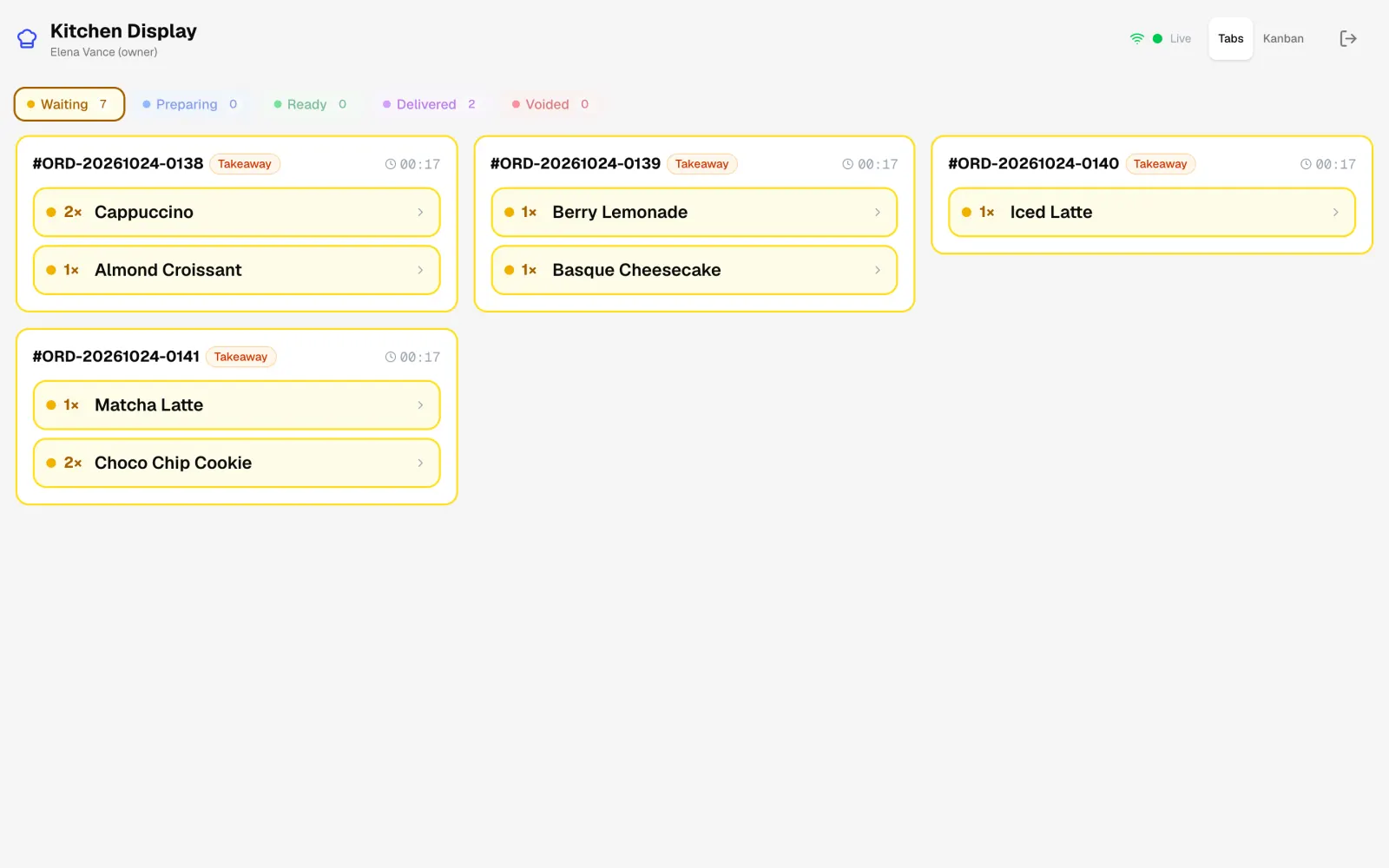
As soon as it is paid, the order shows up on the kitchen or bar display, which can be any tablet or a second monitor. The cook or barista moves it from waiting to ready with one tap. Split the kitchen and the bar into stations so each sees only its own menu categories, and burgers never get lost among the cappuccinos.
If paper suits you better, Ordo prints kitchen tickets on a kitchen printer.
An order-ready board for guests
Ordo includes a customer display: a board showing the numbers of orders being prepared and ready for pickup. Open it in a browser on a TV or monitor in the room and guests can see for themselves when to come up. The owner chooses which statuses to show and how often the board refreshes.
The pickup counter stays clearer and nobody has to call out names.
A second till for the rush
When the line grows, open Ordo on another tablet or phone. It connects over the shop Wi-Fi and runs in the browser. There is no charge per device: one price per location, however many tills and screens you add.
Recipe-based stock deducts ingredients with every sale, shows what is running low and prints a shopping list. Low-stock warnings arrive in Telegram.
Reports: what sells and when
A quick-service menu follows the clock: coffee and pastries in the morning, combos and hot food at lunch. Ordo reports show revenue, best sellers and average ticket for the day or month, so you can see which items drive sales and which can come off the menu.
Record running costs, from rent to packaging, in Ordo and see them next to your revenue. Shift totals reach the owner in Telegram, even on a day spent elsewhere.
Shifts, cash and the internet
Ordo runs on a Windows or Linux computer and keeps the data there, so the till keeps selling even if the internet drops in the middle of the lunch rush. It works with 58 mm and 80 mm USB thermal receipt printers, a cash drawer and any bank card terminal: the guest pays on the terminal and the payment is marked as card in Ordo.
When a shift closes you see revenue with cash and card shown separately, plus a Z report and a PDF shift report. Every staff member has their own sign-in, discounts are capped by the limit in the settings, and a refund needs a manager or owner PIN.
FAQ
Does Ordo suit a takeaway-only coffee counter?
Yes, that is our core use. A takeaway order takes a couple of taps, goes to the bar display, and the guest follows its progress on the board.
Does Ordo replace a fiscal cash register?
No. Ordo prints regular customer receipts, not fiscal ones. If your country requires fiscal receipts, keep issuing them on your fiscal register alongside Ordo.
How much does the quick-service POS cost?
1990 KGS a month for one location, about 23 USD, including every feature and any number of tills, kitchen displays and boards. The first 2 weeks are free and no card is needed.
What if the internet drops during the rush?
The Windows or Linux app keeps selling, and tablets and the kitchen display stay connected over your Wi-Fi. The online version in the browser does need internet.
Can I run two tills and one kitchen display?
Yes. Open Ordo on a second tablet or phone over the shop Wi-Fi, and orders from both tills land on the same kitchen display. Extra devices cost nothing more, and each cashier has their own sign-in.
Can you help with setup?
Message us on WhatsApp, Telegram or by email. We will help you add your menu and move data over from your previous system.